
Annotate PDF files on Linux with Xournal
Xournal is a great tool that I only discovered recently. From the package description, "Xournal is a GTK+ application for notetaking, sketching and keeping a journal using a stylus. It can also be used to add annotations to PDF files."
I use this tool only infrequently and have trouble remembering its name so I am making this blog post for it.
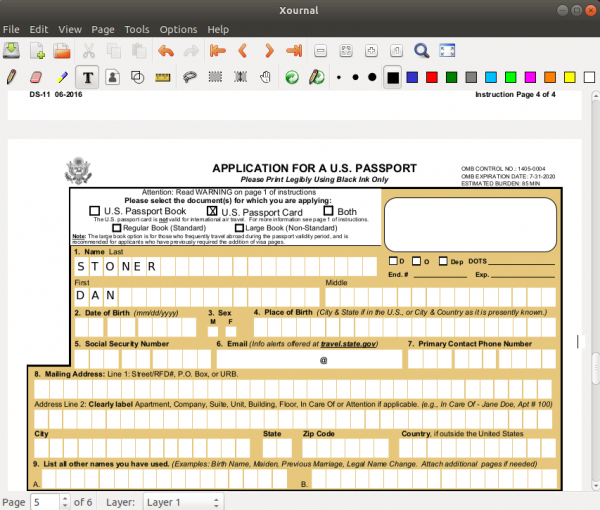
I use Xournal fill out PDF forms on Linux when the PDF document has no actual form fields (basically annotating over the empty blanks) so I can type on a computer instead of having to print a form, fill it out, and then scan it. This also makes the form much more legible than if I were writing on paper.
I have also used Xournal with a Wacom stylus in order to "hand write" / sign my name. Tip: Have your Wacom plugged into the computer before starting Xournal.
On Ubuntu, the package name is "xournal" in the Universe section and you start annotating a PDF by selecting from the menu File -> Annotate PDF
Forms with the little boxes for individual letters are a little challenging, but usually there is a font that comes close to the proper spacing.
You can save your work in-progress as a Xournal file (.xoj). To get the results into a final PDF for submissions, select from the menu File -> Export to PDF.