Welcome to thatlinuxbox.com Friday, October 02 2026 @ 12:28 AM UTC
GATE River Run 15k 2026

- Monday, March 09 2026 @ 01:13 AM UTC
- Contributed by: Dan Stoner
- Views: 1,139


Warm and humid!
I attempted to do heat training while living in Greenville, SC but the first part of the year has been predominantly cold. Most of my heat training sessions had to be on the treadmill. The heat and humidity in Jacksonville definitely affected me, but I could see during the race that a lot of other people were impacted just as much if not more.
Many things were different about this years race due to construction at the stadium. The Expo was located 20 - 30 minutes away from the race hotel. The start and finish line were in different locations. The start was right next to Maxwell House coffee. Most of the course was the same as usual though.
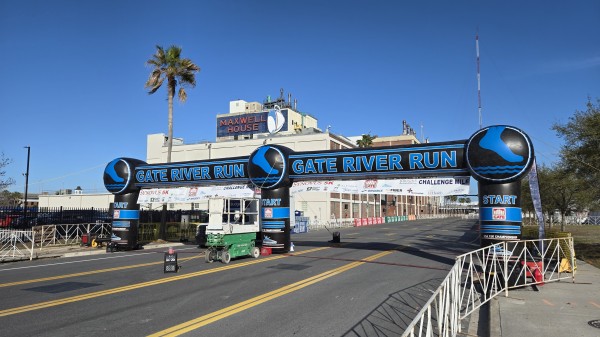
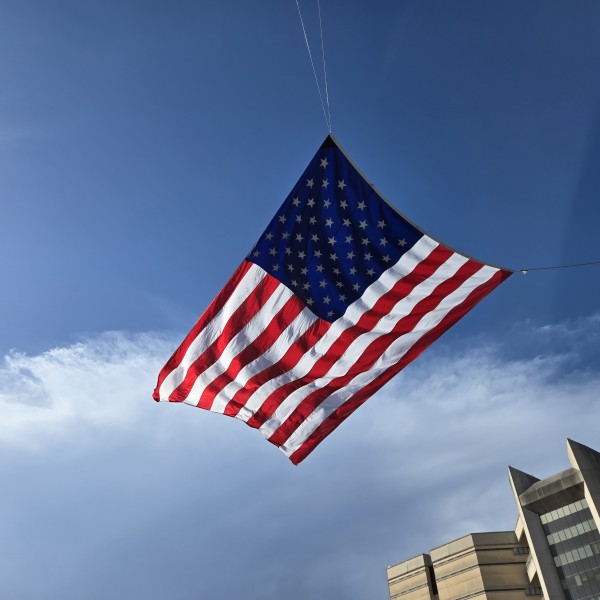
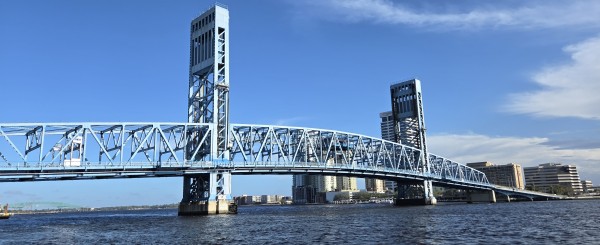
At the race start, I started off conservatively and had a good first few miles working the pace down into that sub-1 hour zone but then it really started to heat up when we hit the sections of full sun. Miles 6-8 got slower and slower. I felt like I was fairly strong up the bridge (at least compared to everyone else who was struggling) but wasn't really moving all that quickly. The new finish line was at least a quarter mile further away from the bridge than previous years and that last little bit was a struggle.
I attempted to do heat training while living in Greenville, SC but the first part of the year has been predominantly cold. Most of my heat training sessions had to be on the treadmill. The heat and humidity in Jacksonville definitely affected me, but I could see during the race that a lot of other people were impacted just as much if not more.
Many things were different about this years race due to construction at the stadium. The Expo was located 20 - 30 minutes away from the race hotel. The start and finish line were in different locations. The start was right next to Maxwell House coffee. Most of the course was the same as usual though.
At the race start, I started off conservatively and had a good first few miles working the pace down into that sub-1 hour zone but then it really started to heat up when we hit the sections of full sun. Miles 6-8 got slower and slower. I felt like I was fairly strong up the bridge (at least compared to everyone else who was struggling) but wasn't really moving all that quickly. The new finish line was at least a quarter mile further away from the bridge than previous years and that last little bit was a struggle.
- read more (71 words)
- Comments (0)
The Naturalist 50k Trail Race 2025
- Thursday, October 30 2025 @ 09:34 PM UTC
- Contributed by: Dan Stoner
- Views: 1,159
The Naturalist 50k is hosted by Outdoor76 in Franklin, NC. Last year the race was cancelled due to Hurricane Helene, so this was my first time participating in the event. This is a challenging race with very steep climbs thru Nantahala National Forest and almost entirely on the Bartram Trail. The race starts on Main Street in downtown.
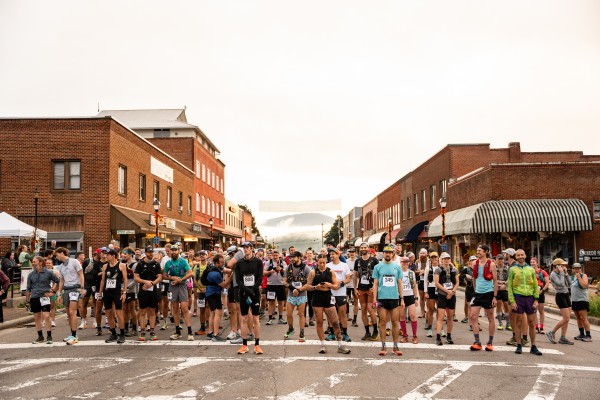
Photo credit: Molly Harris
We hit the Wallace Branch trailhead of the Bartram Trail after about 3.5 miles of pavement.
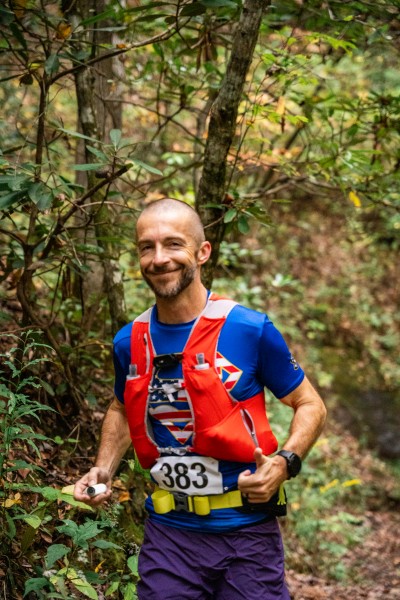
Photo credit: Molly Harris
The shorter 25k race finishes on the top of Wayah Bald. The 50k runners turn around and run all the way back to town.

Photo credit: Molly Harris

Photo credit: Molly Harris
My cramping started around mile 12. I sure wish I could figure that out.
My youtube video about the race includes a lot more details:
After the race, I enjoyed a beer at the Lazy Hiker Brewery which was located on the final hill of the course up Main Street. We could watch the runners trickle in and cheer them on with just a few city blocks to the finish line:
Photo credit: Molly Harris
We hit the Wallace Branch trailhead of the Bartram Trail after about 3.5 miles of pavement.
Photo credit: Molly Harris
The shorter 25k race finishes on the top of Wayah Bald. The 50k runners turn around and run all the way back to town.
Photo credit: Molly Harris
Photo credit: Molly Harris
My cramping started around mile 12. I sure wish I could figure that out.
My youtube video about the race includes a lot more details:
After the race, I enjoyed a beer at the Lazy Hiker Brewery which was located on the final hill of the course up Main Street. We could watch the runners trickle in and cheer them on with just a few city blocks to the finish line:
- read more (20 words)
- Comments (0)
Jones Gap Trail Race 2025
- Saturday, September 13 2025 @ 01:11 AM UTC
- Contributed by: Dan Stoner
- Views: 1,362
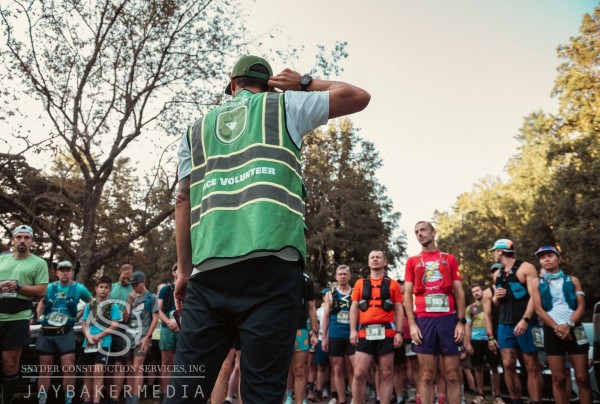
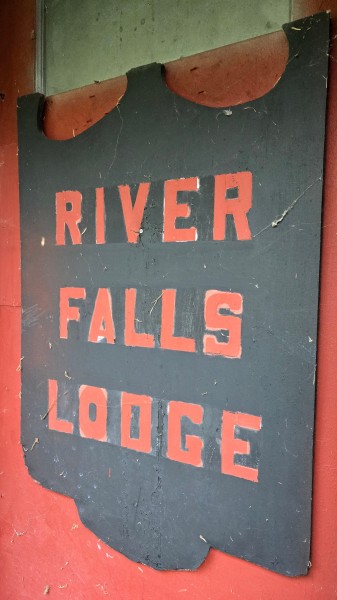
Due to limited parking inside the park, the race starts outside the park at River Falls Lodge.
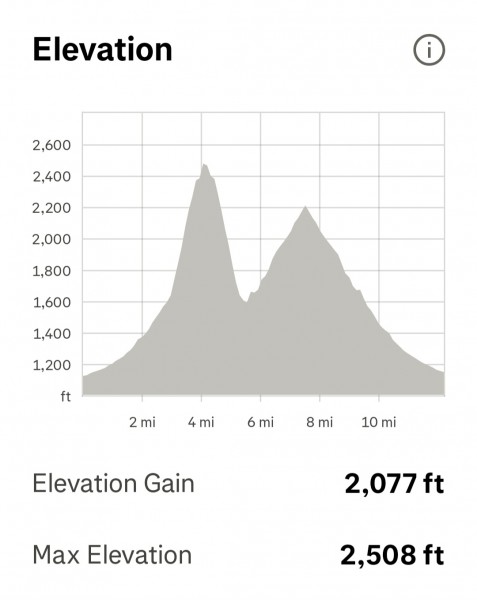
This was my first Jones Gap Trail Race, which is usually a half marathon in name but sometimes the distance is "close to" a half marathon. With some of the trails in Jones Gap State Park still closed after Hurricane Helene, this year's race course was a little over 12 miles (by my GPS). We ran on the road about 2 miles going into the park, then again on the return. The course had two large climbs... the first was up to Rainbow Falls and is the steeper of the two. The second was up Jones Gap Trail past two more waterfalls -- Jones Gap Falls and Toll Road Falls.
(If they use the same course next year, they could extend the out-and-back on the Jones Gap Trail to pick up the extra distance... that would mean some additional climbing!)
The weather was great on a beautiful cool morning. The race started and Neil Winter shot off the starting line like he was running a 5k. I got out smooth and quick but settled into a comfortable pace for this distance and knowing the climbs that were coming. Neil was long gone by the time we got to the state park entrance. When I stepped off the pavement onto the first bit of trail inside the state park, I was in 4th place.
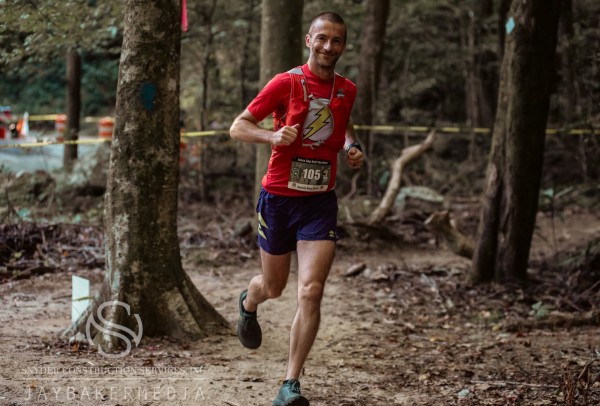
It didn't take long for the Jones Gap Trail to become highly technical rocky terrain, with many different rock sizes and numerous rock waterbars across the trail for drainage. At this point I was just gliding along at my comfortable pace, happy to have so much trail running experience under my belt. The other runners ahead of me slowed down drastically to navigate the rocks. I quickly found myself in second place just by virtue of running a clean, smooth line.
I started up the first big climb to Rainbow Falls. I paced myself but pushed as hard as I could knowing that I could recover some on the way back down. I crossed paths with Neil on his return and I still had a bit of climbing to do to get to the falls before the turn around. Once I got to the falls I didn't waste any time sight-seeing (I've been there before!) and I started moving fast and efficiently back down the mountain. I wasn't taking any big risks but I was definitely moving really well. There were runners coming up the trail so I did have to be cautious about collisions with other runners at the many pinch points.
When I got to the bottom and started up the Jones Gap Trail I saw a runner ahead of me. Could that be Neil? I caught up to him in a very rocky section and I think we were both surprised by the situation. This obviously motivated him and he started pulling away as we started up the second big climb. He gapped me a bit but I worked hard to keep him in sight. After we passed Tollbooth Falls I knew it wasn't all that much further to the turn around point. Again, I felt I'd be able to recover on the way back down so I pushed hard to finish that climb. I caught Neil and passed him right before the turnaround point.
On the way back down the Jones Gap Trail I heard Neil right behind me. Whenever we hit a technical section I could pull away a little but but then he'd catch back up again. Then we started seeing the incoming runners and had yet another challenge. There are a few places where there is a single plank bridge across a creek or muddy section, and we had to wait for the upcoming runner to step off so we could pass. Similar challenges occurred where there are some large rock slabs at odd slops with weird angles that have one good line even though the trail is wide enough for multiple people here. It was darn tricky at times.
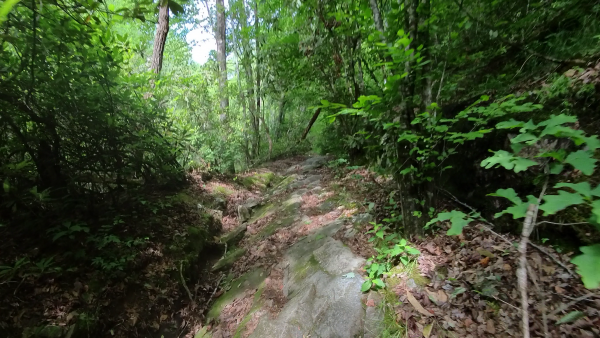
(Photo from a prior trail run)
I kept nailing those technical sections with little blasts of speed and eventually I didn't hear Neil behind me. Based on the way the race started I knew he was a fast road runner and he'd be coming for me once we got back onto the road section. I needed to gain as much time as possible before the road. When I hit the road I kept right on pushing. I looked back a few times and when I finally saw 2nd place behind me I had quite a large gap. After all that climbing the legs were feeling the earlier effort but those last miles were downhill almost the entire way and I was still moving well. I started feeling my calves about to cramp but was able to keep moving until I crossed the finish line.
I won the race!
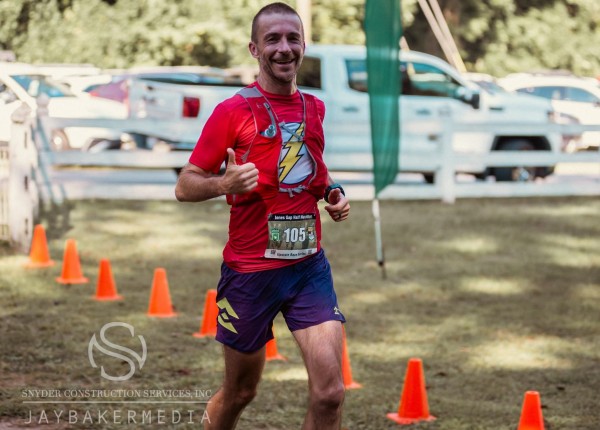
I talked to Neil a little bit afterwards and he said that he had a few close calls (near falls) chasing me on that last technical section. I was surprised and pleased that my technical running skill was able to make such a huge difference.
The overall podium and awards photos:
- read more (53 words)
- Comments (0)
Conquer the Rock - Foothills 50k 2025
- Friday, March 28 2025 @ 08:22 PM UTC
- Contributed by: Dan Stoner
- Views: 1,677
Conquer the Rock - Foothills 50k was held at Table Rock State Park, South Carolina, on March 1, 2025.
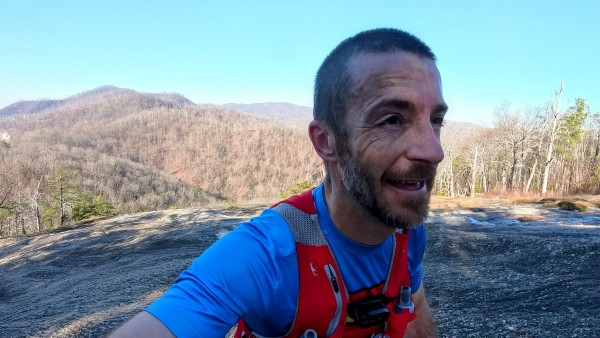
This was one of my few Did Not Finish (DNF) results.
I tell the whole story in my youtube video:
I had my equipment, fueling, and hydration pretty dialed in before this race.
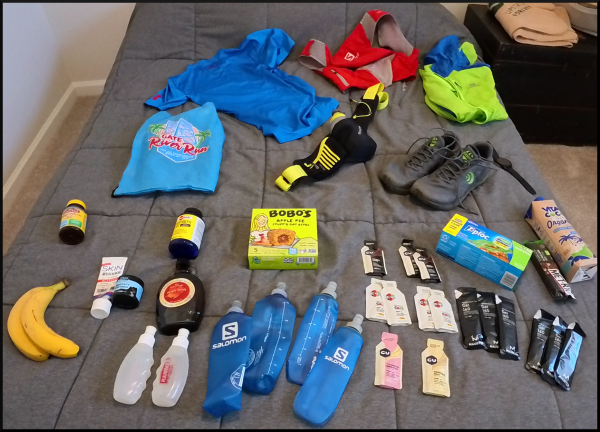
I talk a lot more about that in this youtube video:
More photos:
- read more (10 words)
- Comments (0)
How to pass the AWS Certified Solutions Architect Associate Exam (SSA-C03)
- Wednesday, November 06 2024 @ 05:58 PM UTC
- Contributed by: Dan Stoner
- Views: 2,513

The following is the basic process that I used to study and train for my AWS Solutions Architect - Associate certification.
1. Start with the Exam overview:
https://aws.amazon.com/certification/...associate/
2. Buy and read the Sybex (Wiley) AWS Certified Solutions Architect Study Guide 4th edition (or later). This book is particularly good for those with existing IT / physical server experience. Use the practice questions at the end of each chapter.
3. Use the Wiley online question test bank that is included with the book purchase. Note that a small percentage of the questions had out-dated (wrong) answers or were just poor / ambiguous questions in the first place... but overall the test bank is helpful.
4. Read the Well-Architected Framework materials and know the Pillars -
web-based summary:
https://docs.aws.amazon.com/en_us/wel...ework.html
5. Read as many AWS service technical whitepapers or FAQs as possible, especially on areas where one performed poorly on the sample tests.
Amazon EC2 - https://aws.amazon.com/ec2/faqs/
Amazon S3 - https://aws.amazon.com/s3/faqs/
Amazon VPC - https://aws.amazon.com/vpc/faqs/
Amazon Route 53 - https://aws.amazon.com/route53/faqs/
Amazon RDS - https://aws.amazon.com/rds/faqs/
Amazon SQS - https://aws.amazon.com/sqs/faqs/
Amazon CloudFront - https://aws.amazon.com/cloudfront/faqs/
6. Learn Security and IAM
https://docs.aws.amazon.com/whitepape...cture.html
https://docs.aws.amazon.com/whitepape...ntrol.html
7. Learn Subnetting
https://docs.aws.amazon.com/vpc/lates...locks.html
Free subnetting questions - https://subnetting.org/
Youtube series -
EP 1 - https://www.youtube.com/watch?v=BWZ-MHIhqjM
EP 5 - https://www.youtube.com/watch?v=Pj_ubhpi0WQ
Note that during the exam you may not write any notes, you would need to memorize the subnetting cheat sheet and use it inside your head!
8. Use AWS Skillbuilder - "Free Exam Prep Standard Course" (there is also a longer paid training course that includes labs that I did not use). The free course includes AWS Official Practice Question Sets thru benchprep.com
9. For those content areas with poor practice test performance, go build real resources in AWS to cement the concepts.
10. Additional resources that I didn't actually use but would use if I had failed the test, or if I just had more time to spend on the certification:
AWS Well-Architected Labs
(requires an AWS account to deploy actual resources)
https://www.wellarchitectedlabs.com/
The full Well-Architected Framework document (over 900 pages!):
https://docs.aws.amazon.com/pdfs/well...mework.pdf
1. Start with the Exam overview:
https://aws.amazon.com/certification/...associate/
2. Buy and read the Sybex (Wiley) AWS Certified Solutions Architect Study Guide 4th edition (or later). This book is particularly good for those with existing IT / physical server experience. Use the practice questions at the end of each chapter.
3. Use the Wiley online question test bank that is included with the book purchase. Note that a small percentage of the questions had out-dated (wrong) answers or were just poor / ambiguous questions in the first place... but overall the test bank is helpful.
4. Read the Well-Architected Framework materials and know the Pillars -
web-based summary:
https://docs.aws.amazon.com/en_us/wel...ework.html
5. Read as many AWS service technical whitepapers or FAQs as possible, especially on areas where one performed poorly on the sample tests.
Amazon EC2 - https://aws.amazon.com/ec2/faqs/
Amazon S3 - https://aws.amazon.com/s3/faqs/
Amazon VPC - https://aws.amazon.com/vpc/faqs/
Amazon Route 53 - https://aws.amazon.com/route53/faqs/
Amazon RDS - https://aws.amazon.com/rds/faqs/
Amazon SQS - https://aws.amazon.com/sqs/faqs/
Amazon CloudFront - https://aws.amazon.com/cloudfront/faqs/
6. Learn Security and IAM
https://docs.aws.amazon.com/whitepape...cture.html
https://docs.aws.amazon.com/whitepape...ntrol.html
7. Learn Subnetting
https://docs.aws.amazon.com/vpc/lates...locks.html
Free subnetting questions - https://subnetting.org/
Youtube series -
EP 1 - https://www.youtube.com/watch?v=BWZ-MHIhqjM
EP 5 - https://www.youtube.com/watch?v=Pj_ubhpi0WQ
Note that during the exam you may not write any notes, you would need to memorize the subnetting cheat sheet and use it inside your head!
8. Use AWS Skillbuilder - "Free Exam Prep Standard Course" (there is also a longer paid training course that includes labs that I did not use). The free course includes AWS Official Practice Question Sets thru benchprep.com
9. For those content areas with poor practice test performance, go build real resources in AWS to cement the concepts.
10. Additional resources that I didn't actually use but would use if I had failed the test, or if I just had more time to spend on the certification:
AWS Well-Architected Labs
(requires an AWS account to deploy actual resources)
https://www.wellarchitectedlabs.com/
The full Well-Architected Framework document (over 900 pages!):
https://docs.aws.amazon.com/pdfs/well...mework.pdf
- Comments (0)
Certifications and new Job Title
- Wednesday, November 06 2024 @ 03:48 PM UTC
- Contributed by: Dan Stoner
- Views: 2,560
Since the last time I posted anything about my job, a number of things have happened.
First, IRIS merged with UNAVCO to become EarthScope Consortium.
I was promoted from Database Administrator to Cloud Operations Engineer III and joined the Cloud Enablement team.
I also earned a couple of industry certifications:
Certified Kubernetes Application Developer (CKAD)
AWS Certified Solutions Architect - Associate
First, IRIS merged with UNAVCO to become EarthScope Consortium.
I was promoted from Database Administrator to Cloud Operations Engineer III and joined the Cloud Enablement team.
I also earned a couple of industry certifications:
Certified Kubernetes Application Developer (CKAD)
AWS Certified Solutions Architect - Associate
- Comments (0)
 RSS Feed for this blog
 Twitter
 LinkedIn
 GitHub